









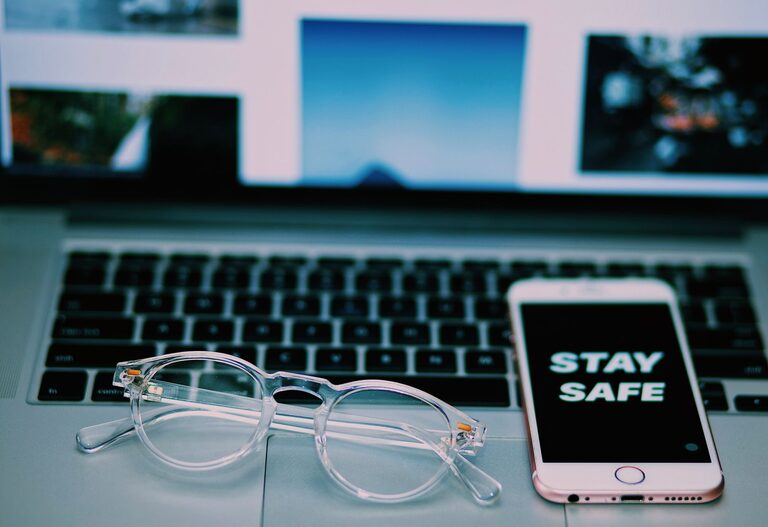
Keeping your phone and keyboard clean is essential not only for hygiene but also to ensure these devices function properly over time. However, cleaning electronic devices requires a gentle approach to avoid damage. In this guide, we’ll walk you through safe and effective methods to clean your phone and keyboard.
Why Cleaning Your Phone and Keyboard Matters
Our phones and keyboards are among the most frequently touched items we use daily. This constant contact exposes them to dirt, oils, dust, and germs. Regular cleaning can:
– Reduce the buildup of bacteria and allergens
– Prevent sticky keys and improve device responsiveness
– Extend the lifespan of your devices
General Safety Tips Before You Start
Before cleaning any electronic device, keep these important tips in mind:
– Turn off your device and unplug it from power sources.
– Remove cases, covers, or accessories if possible.
– Avoid using excessive liquid; moisture can damage electronics.
– Use soft, lint-free cloths to prevent scratches.
– Avoid harsh chemicals and abrasive materials.
How to Clean Your Phone Safely
Phones are often covered with fingerprints, dust, and germs. Here’s the safest way to clean your phone:
What You Need
– Microfiber cloth (soft and lint-free)
– Distilled water
– Isopropyl alcohol (70% or less concentration) or disinfectant wipes designed for electronics
– Cotton swabs
– Toothpick or soft brush (optional for ports)
Step-by-Step Cleaning Process
- **Power Off and Remove Accessories**
Turn off your phone and remove any case or screen protector.
- **Prepare the Cleaning Solution**
Mix equal parts of distilled water and isopropyl alcohol in a small spray bottle. Alternatively, you may use pre-moistened disinfectant wipes safe for electronics.
- **Wipe the Screen and Body**
Lightly dampen a microfiber cloth with the solution—never spray directly on the phone. Gently wipe the screen and phone surfaces.
- **Clean Ports and Crevices**
Use a dry cotton swab or a soft brush to clean around ports, speakers, and buttons. A toothpick can help remove stubborn debris but be gentle.
- **Dry Thoroughly**
Use a dry microfiber cloth to remove any moisture.
- **Reassemble**
After the phone is completely dry, replace the case and turn it back on.
Additional Tips
– Avoid using window cleaners, household cleaners, or bleach.
– For screen protectors made of tempered glass, wiping with the alcohol solution is safe, but check the manufacturer’s instructions.
– Clean your phone regularly, especially after being in public places.
How to Clean Your Keyboard Safely
Keyboards collect dust, crumbs, and germs, which can affect typing comfort and hygiene. Here’s how to clean your keyboard:
What You Need
– Compressed air canister
– Microfiber cloth
– Isopropyl alcohol (70% or less concentration)
– Cotton swabs
– Soft brush (optional)
Step-by-Step Cleaning Process
- **Unplug or Power Off**
Disconnect your keyboard from the computer or turn it off if wireless.
- **Remove Loose Debris**
Hold the keyboard upside down and gently shake it to dislodge crumbs and dust.
- **Use Compressed Air**
Blow compressed air between the keys to remove remaining dust. Hold the can upright to avoid liquid spray.
- **Wipe the Surface**
Lightly dampen a microfiber cloth with isopropyl alcohol or a gentle cleaning solution. Wipe across the keys and keyboard surface carefully.
- **Detail Cleaning**
Use cotton swabs dipped in alcohol to clean around the edges of the keys.
- **Dry and Reconnect**
Allow the keyboard to dry thoroughly before plugging it back in or powering it on.
For Mechanical Keyboards
If your keyboard has removable keycaps and you’re comfortable removing them, you can clean more thoroughly by:
– Carefully popping keycaps off with a keycap puller tool
– Soaking keycaps in warm, soapy water and drying them completely
– Using compressed air and alcohol to clean the keyboard base
Regular Maintenance Tips
– Make it a habit to wipe your phone and keyboard at least once a week.
– Wash your hands before using devices to reduce dirt transfer.
– Avoid eating over your keyboard to minimize crumbs.
– Store your devices in clean cases or covers when not in use.
When to Seek Professional Help
If your phone or keyboard has liquid damage or sticky keys that don’t respond to cleaning, it might be best to consult a professional technician rather than trying deep cleaning or repair yourself.
—
Keeping your phone and keyboard clean doesn’t have to be complicated. With the right tools and techniques, you can maintain hygiene and prolong your devices’ life safely. Regular cleaning is a simple habit that makes a big difference in your everyday tech experience!